Showing posts with label ipad. Show all posts

Sunday, June 19, 2011

Fitting the iPad into a Photography Work Flow

Terry White had a good post recently on how to fit an iPad into a Photography workflow. Yes, there's a certain aspect of the post that seems like a thinly veiled attempt to get you to purchase certain apps, but it's not unreasonable to expect that you'd need 3rd party apps to full take advantage of the device, just as you'd buy MS Word or Adobe Photoshop to full utilize your computer.

He breaks the post into these general areas:
  • Preparing for the shoot
  • Model and property releases
  • Getting images into the iPad
  • Controlling the Camera from the iPad
  • Reviewing the images
  • Editing the images
  • Going from Lightroom to the iPad
And talks about how the iPad is useful in each area.

Read Terry's post at http://terrywhite.com/techblog/archives/7606

Wednesday, May 4, 2011

What the heck is Fring?


Well, I'm glad you asked. Fring is an app for iPhone and Android that allows you to make phone calls, video calls, and text message. Um ok? I already have Skype, right? What's the deal? There is a new feature with Fring that supports group video chats! So now you and three friends can all video chat at the same time. Check out this Youtube promo video (sorry the song is a little annoying).

Friday, April 1, 2011

Epub file creation


I recently created my first .epub file. This is a type of e-book file that can be read on Android devices, the Nook, Sony Reader, and portable Apple devices among others. The files are a little odd in the way they need to be formatted. Here are a few resources I found helpful when creating my first document.

http://calibre-ebook.com/
Calibre is a free and open source e-book library management application developed by users of e-books for users of e-books. This program allows you to convert between several different formats.

http://code.google.com/p/sigil/
Sigil is Google's free multi-platform WYSIWYG ebook editor.

Adobe TV ebook creation using InDesign
This is a link to a series of three videos on Adobe TV about ebook creation using InDesign. These are what I primarily used to get started, and they helped a lot, although you need a little bit of an InDesign background to get started. You also need to be using InDesign CS4 or CS5 to export the .epub file.

Monday, March 28, 2011

iPad 2

Come try our brand new iPad 2! We already had an original iPad, so feel free to try them side-by-side to compare them. (The white one with the fancy lime green magnetic cover is the new one, and the black one is the original model.) We've already added the new GarageBand and iMovie, which are very cool to use. Let us know if there are specific apps you'd like to see and we'll do our best to install them for you to try. Enjoy!

Friday, February 25, 2011

iPad 2.0


Thinking about buying an iPad? Do yourself a favor and wait a week. March 2nd looks to be the date that Apple will unveil their latest version of the iPad. That's when you'll get to choose whether the new updates are worth the money, or if you want to grab up one of the older models at a (most likely) discounted rate. Will it have a camera? Will it have new features we haven't even fathomed? Who's to say...

Wednesday, September 1, 2010

New Apple Stuff

Holy cow. I don't even know where to begin to talk about all of Apple's announcements today, but to get an idea of how cool they are, take a look at the photo of the new iPod Nano over at the left side of this post. Must...resist...purchase...

Other announcements include:
  • New Apple TV
  • iOS 4.1 release
  • iOS 4.2 Preview (now for iPad!)
  • New iPod Touch with retina display and 2 cameras
  • iPod Shuffle update (the buttons are back!)
  • iTunes 10
Check out all the details at http://www.engadget.com/

Wednesday, July 21, 2010

64GB iPad - Great Price


David Perlman, a member of the nursing faculty here at Penn, is selling his brand new 64GB iPad along with several accessories for a great price. You're saving $200 off the price you'd be paying if you bought it all new. Details, from David, follow. Contact him at perlmand@nursing.upenn.edu if you're interested!:

I purchased a 64 GB iPad in late April. From the moment I bought it, I installed a screen protector and plastic protective case. It is in perfect condition. I am selling it, along with the accessories below, to buy a small laptop instead. Note: this is the WiFi model, not the 3G model.

Accessories included:
1. Screen protector (already installed)
2. Marware soft case with 3-way flip display
3. iLuv plastic iPad protective case
4. VGA cable adapter for video output
5. Charger and USB adapter

Please note: the iPad and plastic protector fit great in the Marware leather case.

All original iPad boxes and containers are included. Total cost of iPad and accessories was: $900.

Only serious inquiries please. Price firm.

Monday, April 12, 2010

Come try our iPad!


Yes, we've got an iPad. Just ask the lab consultant on duty if you'd like to try it out.

I'll have a short review of it sometime in the coming week, which I'll post here, and I hope we'll be offering a lunchtime session to anybody who'd like to come by, ask questions, and try it out!

Thursday, January 28, 2010

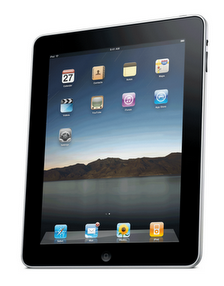
iPad


Ok, so who's getting one?


Links: